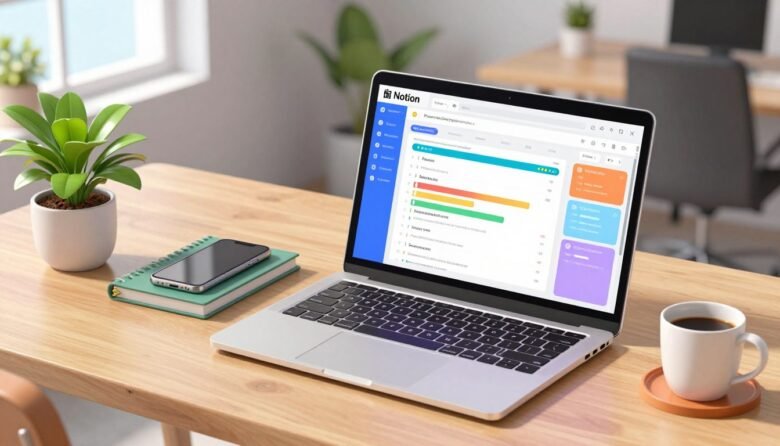
You merged a PR, then rollout stalls because an “oh by the way” decision lives in a Slack thread. Your tracker still shows “In Progress” from two weeks ago and no one knows why.
This guide isn’t a basics walkthrough. You will build a tracker that survives PRs, hotfixes, on-call pages, and async decisions. The goal is a single source of truth with minimal manual updates.
What “actually works” means here: clear project state, fast answers when someone asks “why is this late?”, and few touchpoints to keep it honest. You’ll get a Notion database schema (Projects + Tasks), a view stack, dashboards, and API wiring so statuses update from GitHub events.
I’ll call out common mistakes in naming, property design, and governance so the system doesn’t rot. Expect tradeoffs: great for planning, docs, and light execution; weaker for heavy reporting and some integrations. See the official docs for Notion API details and pricing notes.
The real problem: your “project tracker” is a graveyard of stale tasks
Your tracker shows green lanes, but the real decisions live in ten different chats and repos.
The failure mode is simple. The tracker holds “tasks,” while implementation lives in GitHub, decisions land in Slack, and the spec lives in a half-forgotten doc. Nothing lines up, so the board looks healthy and is wrong.
How this fails day-to-day
The typical symptom: a tidy board with stale cards. Half the cards are fiction, priorities are guesses, and due dates are vibes. Your visible progress doesn’t match reality.
Why people stop updating
Updating feels like busywork with no payoff. If a quick chat or a PR note is faster than a formal update, engineers will pick the faster path every time.
What “actually works” looks like
- State changes take under 30 seconds.
- You find the latest decision in under 2 minutes.
- You can answer “what’s blocked?” without scheduling a meeting.
One source of truth means the canonical record lives in your tracker; Slack and GitHub link back to it. If the tracker is faster to consult than asking in chat, your teams will use it. Optimize for interruptions—someone pings mid-incident and you must know status and the last meaningful update fast.
Decide what Notion is doing in your stack and what it is not
Make a clear upfront decision: is this system your execution surface, or is it the planning and documentation layer that links into your issue tracker? Pick one and design around that constraint.
Compare dev-team fit
Jira and Azure DevOps excel at lifecycle tracking, deep reporting, and workflow automation. They handle large datasets and strict controls without much friction.
The alternative offers a better UX for spec pages, quick notes, and unified context near code. Use it when you want flexible structure and readable information that stays with the work.
Decision rules and hard limits
- Use this tool when you need a single page with spec, links, rollout notes, and light task tracking.
- Don’t use it when you require heavy reporting, complex automation, or enterprise policy enforcement.
- Expect to write glue: API/webhook work is needed for tight GitHub loops.
- Design around offline and latency limits if your teams work with unreliable connectivity.
The stack that scales
Make it the source of truth for context and status. Keep GitHub as the code truth and Slack for transient comms. Link and automate between them so answers live in one place.
Schema first: model projects, tasks, and owners as relational databases
Treat your tracker like a small production database, not a collection of sticky notes. Start by designing two databases that reflect the real work and the people who own it.
Minimum viable tables and relations
Create a Projects database with one row per initiative and a Tasks database with one row per shippable unit. Make a required relation: each task links to its parent project.
Use a rollup on the Projects side to surface health metrics. Useful rollups include open task count, blocked count, percent done, latest due date, and last touched timestamp.
Ownership and permissions
Add a Person property on tasks for the owner and an optional DRI on the project row. Be explicit so team members know who is accountable.
- Start with schema, not dashboards.
- Restrict schema changes to a small admin group.
- Decide Members vs Guests early and enforce page-level sharing rules.
Property design that doesn’t collapse under real engineering work
Good property design stops your board from lying. Use a small set of operational fields that match how your teams move work and make decisions.
Status taxonomy that maps to delivery reality
Pick a compact status list: Backlog, Ready, In Progress, In Review, Blocked, Shipped, Canceled. Keep it stable and use those states everywhere.
Make Blocked a first-class status. It should force a reason field or a linked dependency so team members know why progress stopped.
Dates that matter: start, due, and “last touched”
Track Start (optional), Due (required when it’s real), and Last Touched (formula or manual). Last Touched identifies stale tasks and drives your progress queries.
Ownership and accountability
Use a single Person property as the owner. Add optional reviewers as a multi-person field. Assign a DRI at the project row to close loops and resolve escalations.
Priority without bikeshedding
Choose either a Select (P0–P3) with clear definitions or a formula score that combines impact, urgency, and risk. Keep labels simple so decisions are fast.
Tags that stay usable
- Type: bug / feature / chore
- Area: domain or component
- Topic: subdomain or customer-facing feature
- Feedback: Select with RFC flag visible on cards
Tie these properties to rollups and filters. Use basic progress rollups and “what’s slipping” queries so your reporting surfaces real work without pretending to be a BI tool.
advanced Notion setup for developer project management
Over time, messy names and loose ownership turn a useful tracker into a slow, confusing archive. You need clear naming, a simple page hierarchy, and strict governance to prevent drift.
Normalize your workspace: naming, hierarchy, governance
Lay down naming rules that stop entropy. Use consistent IDs, verbs for tasks, and predictable prefixes for areas and topics so searches return useful results.
Explain your page hierarchy in one sentence: Engineering home → Areas → Topics (optional) → Projects → Tasks, with Tasks always stored in the central Tasks database.
Set governance: who may add or edit properties, who owns templates, and a regular review cadence so the system stays accurate.
Scale-friendly structure and performance guardrails
Treat Areas and Topics as optional layers. Add them only if they solve retrieval problems like domain filters or roadmap slices.
Guard performance by archiving completed projects, avoiding giant pages of embedded artifacts, and scoping linked views with filters. A single Tasks database with 20k rows and no rules becomes slow and unusable; teams will stop trusting the system.
- Keep templates lean and owned.
- Archive old data monthly.
- Limit heavy pages and large embeds.
- Document who fixes schema issues.
Views that reduce noise: table, board, calendar, and timeline
Good views strip noise, leaving only the facts you need to act on today. You don’t need more data; you need fewer, sharper slices of the same database. Pick views that map to how you scan work during an interruption or a 10-minute triage.
Board flow and card design
Use a board grouped by Status so flow is visible at a glance. Toggle card properties to show Owner, Due, and Priority only. That makes the board answer: who is next, what’s due, and what is blocked.
Table view for bulk triage
Keep a table for bulk edits and sorting. Sort by Priority then Due. Show 3–5 columns you actually change and hide the rest in the page body.
Timeline as a reality check
Use timelines like a Gantt to spot overlap and dependency issues. If dependent tasks overlap, adjust dates or sequence and note the dependency on the task record.
Calendar and saved filters
Calendar views catch deadline collisions and release trains. If many tasks land on the same day, you’ll see it immediately.
- Saved filters: “My Tasks,” “Blocked,” “Due in 7 days,” “In Review,” “No due date”.
- Default views should hide Done and Canceled; create an Archive view for history.
- Use filters like CLI aliases—fast, repeatable scans that match how you work each day.
Design views to surface updates since yesterday. The right view should show progress, surface blockers, and reduce the need for a status meeting.
Dashboards you’ll keep open: master, personal, and per-project
A small set of persistent pages gives your team one place to answer “what’s next” quickly. Use three dashboards that stay open during work hours: a master team page, a personal page, and a per-project page. Each page must surface the same underlying data, never copies.
Linked database views with filters that don’t lie
Always use linked database views. Do not copy tasks into pages. Linked views point to the single source of truth and update both ways.
- Filter on Status, Project relation, Owner, and Due date only.
- Avoid ad-hoc text tags that drift; they break trust.
- Keep 3–5 views per dashboard to reduce clutter.
“Me” filters for personal workload
Create a personal page that uses Owner = Me. This shows each user their active tasks without duplicating data or creating separate databases.
Use a simple layout: a small table for next actions, a board for in-flight work, and a short notes section for blocking items.
Per-project dashboards via database templates
Ship a project page template that includes the same linked views (tasks table, board, timeline) and fields like repo links, docs, and decision log. When teams create a new page from the template, they get consistent, low-maintenance dashboards every time.
- Master dashboard: slices for Blocked, Due soon, Recently updated.
- Personal dashboard: Owner = Me plus Due in 7 days.
- Project page: scoped views via Project relation and timeline.
Templates that enforce consistency without blocking senior engineers
When kickoff pages follow the same shape, you spend less time hunting for answers. Templates are tools that lock down key decisions while letting experienced engineers skip boilerplate.
Use a kickoff template that requires a Problem Statement, explicit non-goals, Scope boundaries, a Timeline with milestones, and a Future Work section. This prevents endless “phase 1” promises and captures goals up front.
Make a spec and review template that lists edge cases, API contracts, migration steps, observability notes, and open questions with named owners. Add a decision log that links to PRs, Slack threads, and meeting notes so why decisions stick is traceable.
Include a retrospective template that ties findings to measurable outcomes like latency, error rate, lead time, and incident count. Measured results keep retros from becoming feelings-only notes.
- Keep required fields minimal and high-signal.
- Make optional sections available for senior engineers to use as needed.
- Auto-embed a linked view of the Tasks database filtered to the current project so work and pages stay connected.
Practical implementation: wire Notion to your dev workflow with the Notion API
A webhook and a small service can turn noisy PR activity into reliable task updates. Below is a compact, implementable pattern you can run this week to keep status honest and cut manual touchpoints.
Reference the official docs: start with Notion’s “Getting Started” guide and the “Databases” endpoints for query, page create, and update. These endpoints let you query a database, create a page (task), and update page properties programmatically.
Step-by-step workflow
- PR opened with a label triggers a webhook on your CI/CD or small service.
- Service queries the tasks database to dedupe by PR URL; create a task if none exists.
- On merge event, update the task Status to Shipped (or Ready to Deploy) and set the PR URL property.
- Optionally send a Slack ping that includes the task page link and assignee mention.
Map GitHub into your database
- Title → PR title
- Status → select (Backlog, In Progress, In Review, Shipped)
- Owner → person
- Due → date (if release date applies)
- Project relation → relation to project row
- PR URL → URL property (use to dedupe)
Node.js snippet (create then update)
Set env vars: NOTION_TOKEN, TASKS_DATABASE_ID.
const { Client } = require('@notionhq/client');
const notion = new Client({ auth: process.env.NOTION_TOKEN });

async function createTask(pr) {
  const response = await notion.pages.create({
    parent: { database_id: process.env.TASKS_DATABASE_ID },
    properties: {
      'Name': { title: [{ text: { content: pr.title } }] },
      'Status': { select: { name: 'In Review' } },
      'PR URL': { url: pr.url },
      'Owner': { people: [{ id: pr.authorId }] },
      'Project': { relation: [{ id: pr.projectId }] }
    }
  });
  return response.id;
}

async function updateTask(pageId, status) {
  await notion.pages.update({
    page_id: pageId,
    properties: {
      'Status': { select: { name: status } }
    }
  });
}
Guardrails and fail-safes
Dedupe by storing the PR URL in a property and query before creating pages. Don’t create a new task on every push; use labels or PR state to gate creation. If schema changes, log and fail safely—notify an admin instead of throwing unhandled errors.
Notion AI prompt template (Business/Enterprise)
Use this prompt against a filtered linked view (e.g., “Status != Done AND last_edited_time within 7 days”):
Generate a concise weekly status update for the team. Group items by risks, blockers, and next steps. Include PR links and owner names. Keep it under 300 words and flag any items with Status = Blocked.Collaboration mechanics that don’t spam your team
Notifications determine whether your team pays attention or tunes out—treat them like incident alerts. Design a small, predictable notification policy so the right people act when it matters.
Use @mentions only to request action. Use reminders for real deadlines. Avoid casual “FYI” mentions; link the page instead.
Mentions, reminders, and following
- Mentions: reserve for required responses and clear ownership.
- Reminders: set only on deliverables that must hit a date.
- Following: leads follow key pages; contributors follow their tasks.
Comments as decision logs, not side chatter
Make comments the place you record final calls. Note alternatives, the chosen path, and link supporting PRs or notes.
Close the loop by copying the decision into the page body so history stays with the work.
Sharing and permission hygiene
- Share pages with guests for external reviewers; give workspace access to internal members.
- Restrict Admin rights to a small group; keep create/edit rights to members.
- Audit sharing monthly to avoid accidental exposure.
Follow these rules and you’ll reduce meeting churn. When updates and decisions live on the page, your team spends time doing work, not hunting for context.
Common mistakes mid-to-senior devs make in Notion project management
Mid-career engineers often turn a simple tracker into a tangled system of custom fields and reports. That feels like control, but it usually adds friction, hides data, and confuses teams. Below are the most common mistakes and quick fixes you can apply today.
Over-modeling the schema and accidentally rebuilding Jira
The #1 failure is piling on epics, sprints, story points, and bespoke workflows until the pages look like another issue tracker. You lose speed and increase maintenance.
Fix: keep two databases — Projects and Tasks. Add one property at a time and only when it changes decisions or reduces work.
Using a single status field as a dumping ground
When Status becomes “blocked by X / needs decision / waiting,” it stops conveying actionable meaning.
Fix: keep Status compact, and add separate fields: Blocked Reason, Dependency, and Next Action. Filters then work and users can act.
Breaking permissions and trust with ad-hoc sharing
Randomly sharing a page to get a quick review can leak sensitive notes or related data. That breaks trust and invites chaos.
Fix: define sharing tiers (workspace vs page) and enforce them. Audit access on sensitive projects regularly.
Letting templates drift — no ownership, no review cadence
Kickoff or spec templates fork and rot when no one owns them. Teams fill gaps with local hacks.
Fix: assign template owners, schedule quarterly reviews, and deprecate outdated templates like you do old libraries.
Ignoring dataset growth until performance tanks
Keeping every task forever in the hot path slows queries and kills adoption.
Fix: archive completed projects, move old tasks to an archive database or view, and limit embeds on active pages.
- Governance pattern: one small admin group owns schema changes and templates.
- Lightweight rule: add a property only if it answers a clear question within 2 minutes.
- Operational habit: monthly archive or cleanup for any project inactive >180 days.
Conclusion
A living tracker gives you answers in seconds, not excuses after a meeting.
Make this simple: a relational schema (Projects + Tasks), clear properties (status, dates, owner), focused views (table, board, timeline, calendar), and dashboards that use linked databases only. Combine templates and lightweight API wiring so merges and PRs update status automatically.
Notion works best as a single hub for planning, docs, and light tracking; it is not a deep reporting engine. Expect limits on offline use and large dataset performance. Sam Baldwin’s transparency point proves shared boards speed alignment across teams.
Adopt one rule: if updates take seconds and retrieval is fast, the system stays current. Maintain governance, archive old projects regularly, and keep a small set of default views you actually use.

Spencer Blake is a developer and technical writer focused on advanced workflows, AI-driven development, and the tools that actually make a difference in a programmer’s daily routine. He created Tips News to share the kind of knowledge that senior developers use every day but rarely gets taught anywhere. When he’s not writing, he’s probably automating something that shouldn’t be done manually.