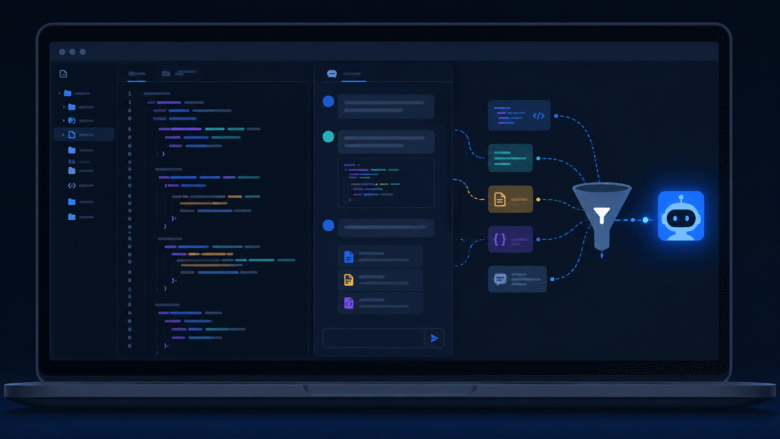
Most developers using AI coding assistants have hit the same wall: the tool works great for the first few weeks, then quietly gets worse. It starts ignoring your error-handling conventions, forgets architectural decisions from last quarter, and generates tests that don’t match how your team actually writes tests. The instinct is to blame the model. The real cause is almost always the same — nobody engineered the context feeding it.
This is the gap between prompt engineering and context engineering, and in 2026 it’s become one of the most important skills separating teams that ship trustworthy AI-assisted code from teams drowning in review debt. This guide breaks down what context engineering actually means, why dumping your whole codebase into a chat window backfires, and how to build a repeatable workflow around it.
Why More Context Isn’t Always Better
It’s tempting to assume that pasting more files, more logs, and more history into an AI assistant gives it a fuller picture and therefore a better answer. In practice, the opposite tends to happen. Researchers have documented what’s often called the “lost in the middle” effect: language models pay close attention to information at the very start and very end of what they’re given, but attention quality drops for anything sitting in the middle of a long context window.
So when a debugging session accumulates twenty thousand tokens of unrelated file contents and dead-end exploration, the one function that actually matters — buried somewhere in the middle — gets less attention than it would if it had been the only thing in the conversation. More context doesn’t just cost more money in API usage; past a certain point, it actively degrades output quality.
What Context Engineering Actually Means
Prompt engineering is about crafting the right instruction for a single interaction. Context engineering is a different discipline entirely: it’s the systematic design of the entire information environment an AI assistant operates within, across every session, every repository, and every developer on the team — not just what you type, but what gets assembled, filtered, and ordered before it ever reaches the model.
That distinction matters because as AI-generated code becomes a larger share of what actually ships, the bottleneck stops being “can the model write code” and becomes “can we trust the code it wrote.” Surveys of engineering teams throughout 2026 have consistently found that most developers still don’t fully trust AI-generated output, and a large share of them skip reviewing it carefully before committing anyway. Good context engineering is what closes that trust gap.
The Four Types of Context Worth Sending
Instead of thinking in terms of files, think in terms of categories. Every coding task benefits from some mix of these four:
- Behavioral framing — persistent instructions about how your team builds software: naming conventions, error-handling patterns, testing philosophy. This should live in a single file the assistant loads automatically, not get retyped every session.
- Retrieved code — only the specific functions, types, or modules directly relevant to the task, not the surrounding files they happen to live next to.
- Recent history — the last few relevant commits or PR discussions, when the task depends on decisions made recently, but trimmed aggressively once they stop being relevant.
- Tool and interface definitions — the schemas or function signatures the assistant needs to call correctly, kept minimal and versioned so they don’t silently drift out of date.
Everything outside these four categories is usually noise, and noise is what pushes the useful signal into the “lost in the middle” zone.
Building a Practical Context Budget
A useful mental model borrowed from finance: treat your context window like a budget, not a bottomless bucket. Before starting a task, decide roughly how many tokens each category deserves, and cut ruthlessly from the bottom of the list first.
| Context Type | Priority | When to Trim First |
|---|---|---|
| Team conventions / standards file | Highest | Almost never — keep this lean instead of cutting it |
| Directly relevant code | High | Trim to the specific functions touched, not whole files |
| Tool/API schemas | Medium | Only include the ones the current task actually calls |
| Recent commit/PR history | Medium-low | Cut once older than the current sprint |
| Full file contents “just in case” | Lowest | Cut first, every time |
This budget doesn’t need to be manual every time. Tools like Claude Code support a persistent instructions file that loads automatically at the start of every session, plus scoped rules that only activate for specific file patterns — so a rule targeting test files, for example, only fires when test files are actually in scope. That structure alone eliminates most of the “just paste everything” habit.
Common Anti-Patterns That Waste Tokens
- Re-explaining conventions every session instead of storing them once in a file the assistant loads automatically.
- Pasting entire files when only one function inside them is relevant to the task.
- Letting old exploration linger in a long chat thread instead of starting a fresh session once the debugging path changes.
- Mixing multiple unrelated tasks in one context window, which forces the model to split attention across problems that don’t inform each other.
- Never updating the standards file after your team’s conventions evolve — a problem sometimes called context drift, where the assistant keeps generating code based on practices you abandoned months ago.
Where This Is Heading
By 2026, adoption of AI coding assistants across engineering organizations is no longer the question — most teams already have at least one in daily use. The open question is governance: whether every repository and every assistant is working from the same, current source of truth about how your team builds software, or whether each developer is quietly maintaining their own ad hoc version. Teams that treat context as infrastructure — versioned, reviewed, and pruned like any other part of the codebase — are the ones seeing AI tools actually compound their productivity instead of adding a second, invisible layer of technical debt.
Frequently Asked Questions
Is context engineering just a fancy name for prompt engineering?
No. Prompt engineering optimizes a single message. Context engineering designs the whole information pipeline — what gets retrieved, how it’s ordered, and what gets deliberately left out — across every interaction, not just one.
Does a bigger context window solve this problem?
Not on its own. Larger windows reduce how often you hit a hard limit, but the attention-quality drop-off in the middle of long contexts still applies. Curating what you send matters more than how much room you technically have.
Where should a team start if it has no context strategy at all?
Start with a single, well-maintained conventions file that every assistant loads automatically. That one change tends to eliminate the largest source of repeated, wasted tokens before touching anything more advanced.
How often should the standards file be updated?
Treat it like any other part of the codebase — reviewed and updated whenever a real architectural or convention decision changes, not left untouched for months while the team’s actual practices move on.

Spencer Blake is a developer and technical writer focused on advanced workflows, AI-driven development, and the tools that actually make a difference in a programmer’s daily routine. He created Tips News to share the kind of knowledge that senior developers use every day but rarely gets taught anywhere. When he’s not writing, he’s probably automating something that shouldn’t be done manually.