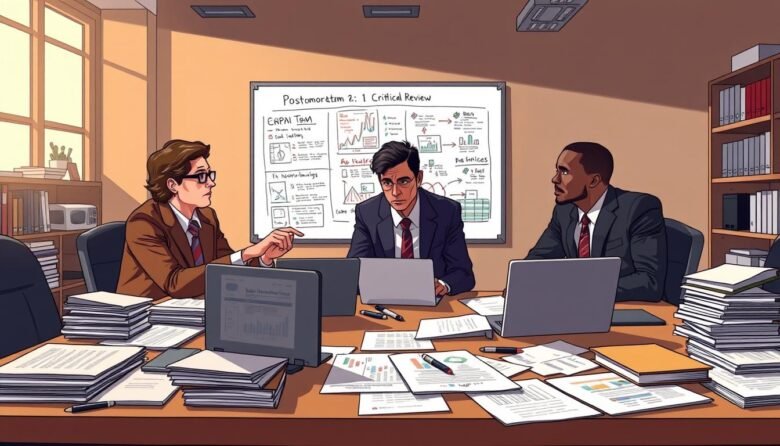
You need a clear path from incident to improvement. Pixelmatters builds processes that spot bugs early in the lifecycle and keep teams focused on prevention.
A concise postmortem turns chaos into learning. Use the right structure and factual technical detail so your team can fix root causes without blame.
This guide lays out an essential framework for documenting outages. It covers transparency, timeline assembly, and action items that cut repeat failures.
When you capture specific evidence and follow a steady analysis path, each incident becomes an asset. That effort protects uptime and strengthens long-term reliability.
Understanding the Role of Incident Management
Incident management keeps teams aligned when systems behave unexpectedly. It guides urgent response and organizes learning after an outage.
At Pixelmatters, the process spans design through deployment so quality stays high at every stage. Your team tracks each incident from first flag until full resolution. This clarity helps prevent similar failures in future projects and strengthens project governance.
Formal postmortem work matters. After service is restored, a clear postmortem captures facts, assigns action, and preserves evidence for later review. Reviewing past postmortems refines your incident management strategy and improves follow-up.
- Assign clear roles so every team member knows their duties during an outage.
- Document each response step and record the action items that come from the postmortem.
- Keep one dedicated team per project to own tracking and closure of incidents.
Defining What Constitutes a Software Incident
Defining what counts as an incident keeps response efficient and measurable. An incident is any deviation between actual and expected results that disrupts normal operation of a system.
Identifying Severity Levels
Severity should reflect impact on service and users. Use clear tiers so your teams know when to escalate.
- Critical: full outage or data corruption that halts core service.
- Major: major feature failure affecting many users or key project deadlines.
- Minor: isolated errors with limited user impact or degraded performance.
Recognizing System Failures
Failures range from silent defects to high-profile outages. The 2012 Knight Capital example shows a single server misstep can cost millions and cripple an entire project.
Collect accurate data and note the exact time systems diverged from expected behavior. That evidence helps you find the root cause and prevent repeat failure.
How to Write a Post-Mortem Software Document Effectively
An effective postmortem captures facts fast and sets a precise list of follow-up actions. Include Engineers, Product Owners, and QA Engineers so the full team perspective appears in the document.
Keep the postmortem a living document. Record the incident timeline, decisions made, and every action assigned. This helps the project stay accountable over time.
Avoid launching this full process for minor issues. Use it for incidents that affect system stability or critical user flows. That saves time and keeps work focused on the highest risks.
- Involve everyone who worked on the affected code or testing.
- Make the document clear enough for engineers across the project to act on.
- List concrete action items with owners and deadlines as an example of good follow-up.
Establishing a Blame-Free Culture During Analysis
When people feel safe, discussions focus on fixing process gaps rather than assigning fault. Create a culture where your team shares facts plainly and without pressure. Pixelmatters runs postmortem work asynchronously so contributors can reflect before they comment.
Focusing on Process Failures Over Personal Mistakes
Frame every review around systems, not individuals. Ask which steps failed and what in your process allowed the failure. That shifts attention away from blame and toward repeatable fixes.
- Encourage your team to name process gaps, not people, during each postmortem.
- Make one concrete action for every discussion, with an owner and a deadline.
- Use postmortems as an example of transparency and shared learning across projects.
- Remind people that even top performers make mistakes when systems fail.
- Build experience by treating every failure as a way to strengthen future work.
Essential Components of a Comprehensive Report
A clear, well-structured report turns chaotic incident notes into usable improvement plans. Keep the report focused so your team can find facts fast and act on them.
Crafting the Incident Overview
Start with a concise summary of the incident, its impact on users, and the immediate response. Note service availability, number of support cases, and the project areas affected.
Detailing the Timeline of Events
Record each decision and key event with time stamps. Include short examples like the 55-minute Google outage and the 12-hour Microsoft outage to show scale.
List the timeline in chronological order so people can trace actions and minutes spent on each step.
Documenting Lessons Learned
Capture root cause findings and the actions assigned to owners. Use data, not blame, and make sure every action has a deadline.
Share lessons with the whole team so future work avoids the same failure and your project gains lasting reliability.
Leveraging Data for Deeper Root Cause Investigation
Raw telemetry gives your team the evidence it needs to pin down the true failure point. Use concrete metrics and logs when you run a postmortem so your findings rest on facts, not guesses.
Centralize monitoring data into a shared view early in the review. Datadog and similar tools let teams export graphs and conversations directly into the postmortem, which speeds analysis and keeps everyone aligned.
- Leverage monitoring exports to embed live graphs that explain the outage and show service impact.
- Build a clear timeline that marks the exact minute the system began to fail and traces prior anomalies.
- Use examples, such as Google’s 2015 electrical and control review after lightning loss, to broaden your cause analysis.
- Centralized data aids incident management and lets the project team agree on one source of truth.
Your analysis should end with one concrete action for the next project cycle. That action must reduce risk for users and prevent the same root causes from repeating.
Best Practices for Asynchronous Collaboration
When contributors add findings on their own schedule, the final report gains depth and fewer rushed conclusions.
Use a shared view so your team can collect logs, graphs, and notes in one place. This keeps incident details visible and reduces duplicated effort.
Utilizing Shared Views for Team Coordination
Tools like Datadog Notebooks let contributors leave comments on a postmortem and continue discussion as new data arrives. That example shows how a living document evolves with evidence.
Keep the shared view stocked with the key data and timeline entries you need. That helps the project avoid guesswork and narrows the search for the root cause.
- Asynchronous collaboration lets each team member add thoughtful analysis without a pressure-filled meeting.
- Keep an updated timeline in the shared view so new findings slot into the incident chronology.
- Include graphs and logs so the postmortem rests on concrete data, and track every action item for accountability.
Documenting things this way lets people across time zones contribute expertise. Your project gains clearer actions, fewer follow-ups, and a stronger final report after the incident.
Avoiding Common Pitfalls in Incident Documentation
Documentation mistakes often hide in small assumptions, not big errors. When you draft a postmortem, avoid framing events as inevitable. Hindsight bias makes causes seem clearer than they were.
Keep the focus on process failures, not people. That preserves a culture where the team shares details and learns. Point out what in your process allowed the issue, then state the exact action you will take.
https://www.youtube.com/watch?v=eyG8AREpQdg
- Make actions concrete and short — one fix per action with an owner and minutes or days listed.
- Archive the report in a place where any project member can find the document and past data quickly.
- Resist re-architecting the whole system after one outage; pick targeted fixes that stop repeat failure.
- Call out cognitive biases and test assumptions during analysis, so you uncover real root causes.
- Use short-term actions for immediate risk reduction, and schedule larger improvements as tracked project work.
Good postmortems blend clear data, rapid response items, and lessons that strengthen incident management over time.
Conclusion
Finish the report by translating lessons into scheduled work that raises system reliability. A concise postmortem and clear analysis help your team spot the root cause and plan meaningful fixes.
Prioritizing this review builds a culture of continuous learning across every project. Each completed document becomes an example of transparency for clients and peers.
Learning from past failure is the most valuable experience you can give your team. Use the framework in this guide to turn incident evidence into tracked project work that prevents future outage.

Spencer Blake is a developer and technical writer focused on advanced workflows, AI-driven development, and the tools that actually make a difference in a programmer’s daily routine. He created Tips News to share the kind of knowledge that senior developers use every day but rarely gets taught anywhere. When he’s not writing, he’s probably automating something that shouldn’t be done manually.